Enable Silent Monitoring Notification
As an administrator you can enable the silent monitor notifications to the agents, by default it is disabled.
-
Go to YSE > Enterprise.
-
Select the Notify agents when silent monitored in Web Ignite checkbox.
-
Click Save.
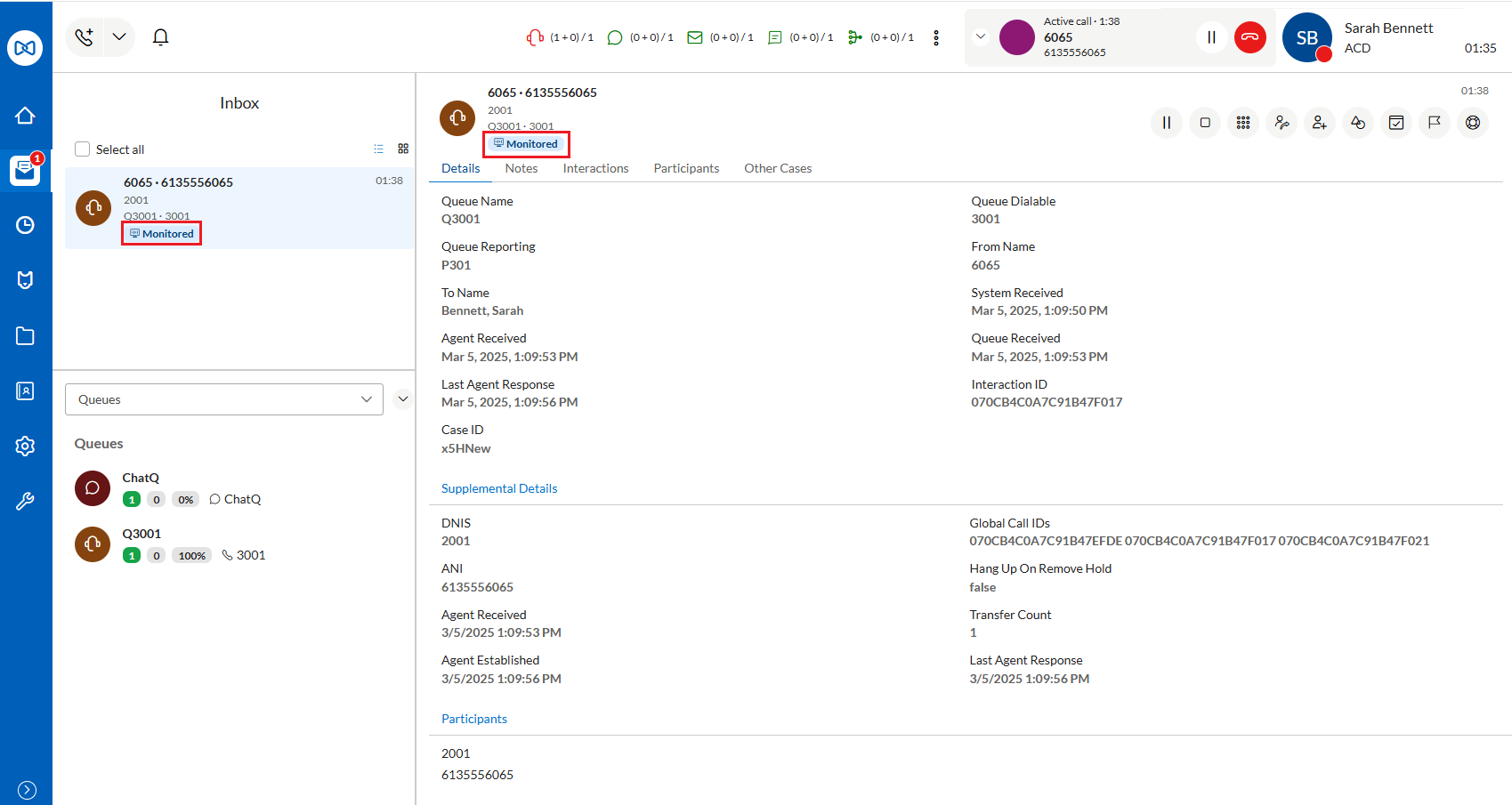
If this option is enabled, agents receive a notification that the call is being monitored and the Monitored label is added to the inbox item in the Inbox List and the Conversation Details.
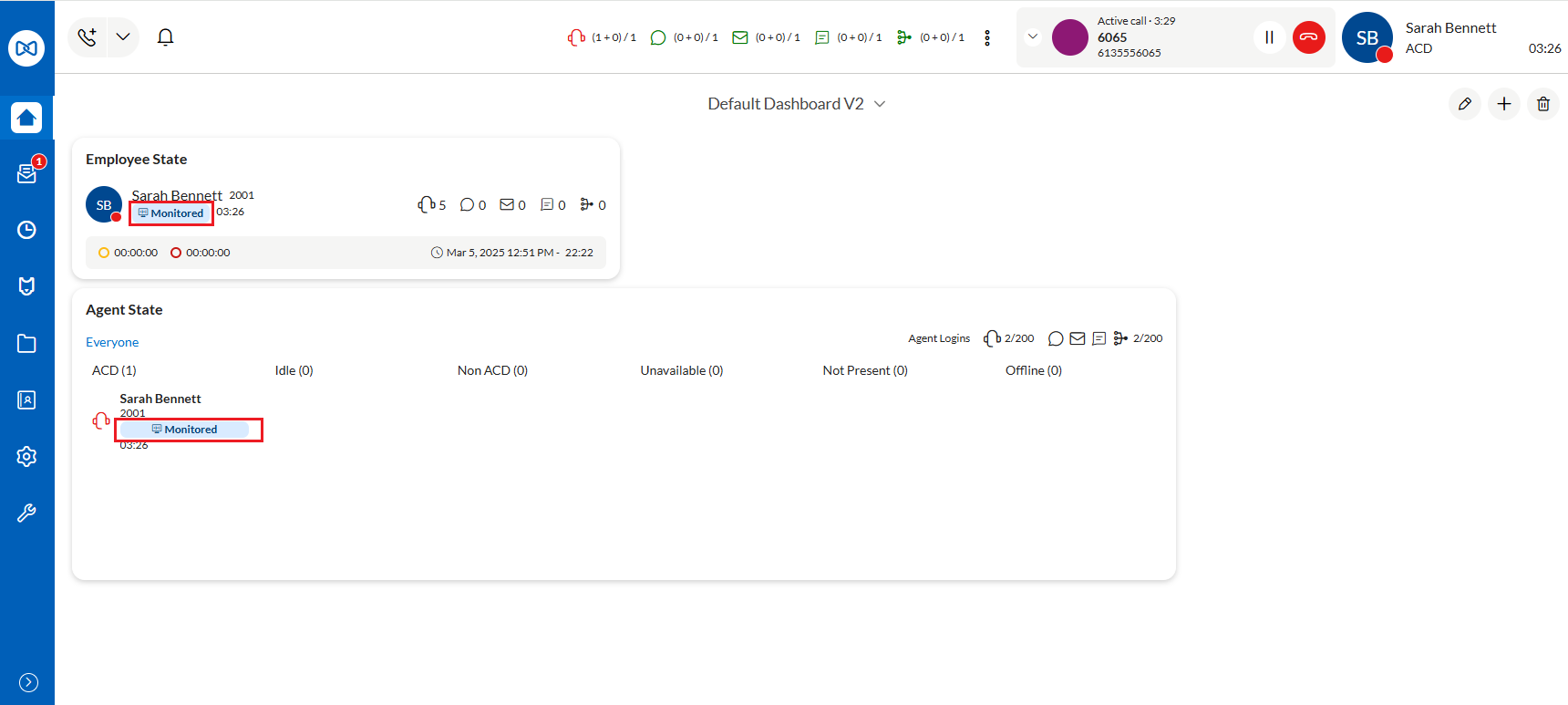
If the call is being monitored, it will be labeled as Monitoring on the Dashboards for the Agent State and the Employee State widgets.
↑