Setup Static IP Addresses to be Used in MX-ONE VM
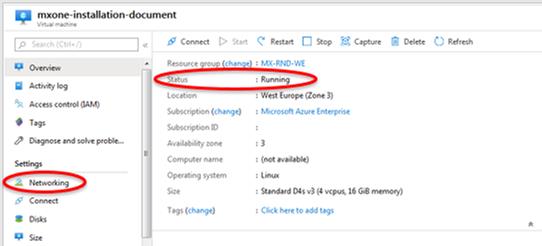
- When the VM is up and running, go to the VM page and access the networking under the Settings session.
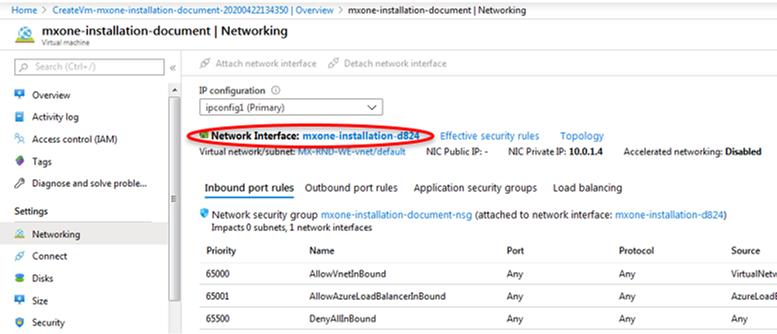
- Then click Network Interface.
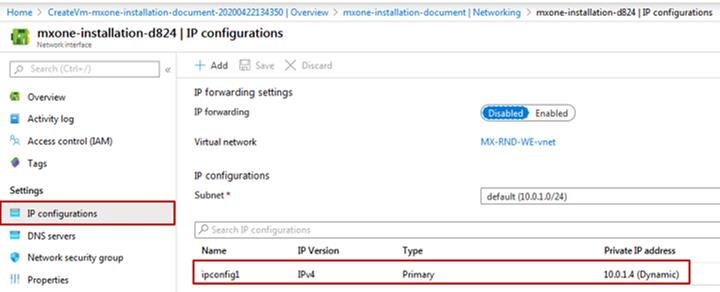
- In the Network Interface, then click IP Configuration under Settings and then ipconfig1.
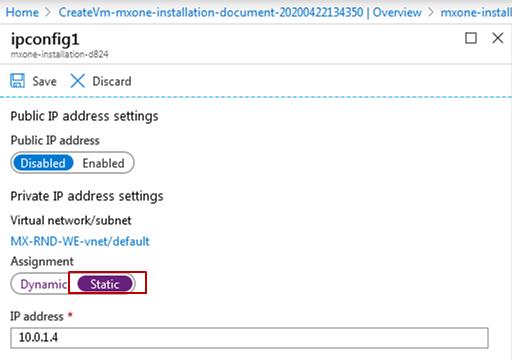
- Change the IP address from Dynamic to Static.
 ;
;Wait until the setup is completed.
- Now, a secondary private IP address needs to be created to be used for the MX-ONE database.Note: This setup is important, because it will reserve this IP address and it will not be dynamic allocated by Azure when a new VM is created.
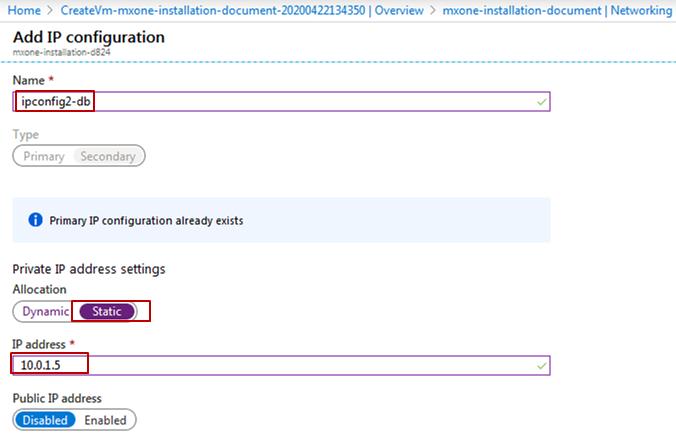
- Go back to the previous page and click Add.
- Add name for the IP configuration and the static IP address.
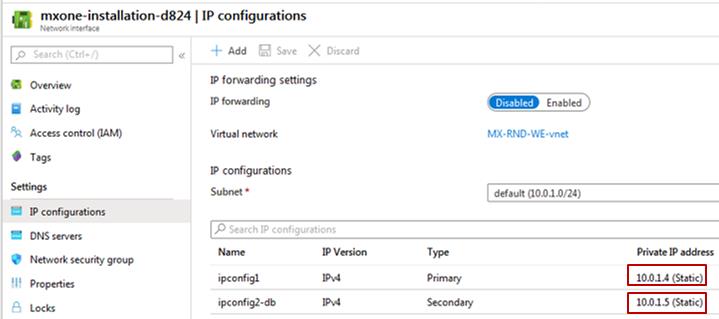
- When the IP address is added, the result is shown in the following figure.
 Note: The Public IP address is not required for MX-ONE deployment as the system shall be using Express Route connectivity between the enterprise network and Azure.
↑