MiCollab Server Configuration:
Via the MiCollab Server, configure the Location Service under MiCollab Client Service > Administrator Interface > Enterprise Tab > Location Service Configuration.
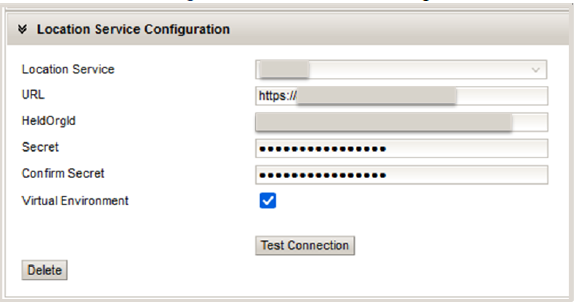
Field |
Notes |
Location Service |
NG911 Provider |
URL |
NG911 LIS Server URL |
HeldOrgId |
HELD Organization ID |
Secret |
HELD+ Secret Key |
Confirm Secret |
HELD+ Secret Key |
Virtual Environment |
If the Virtual Environment checkbox is checked, then the clients are virtualized. That means, the Virtual Environment checkbox will enable theadministrator to declare whether their clients are running in a virtual environment or not, that is, VMWARE Horizon, Citrix, or RDS. |
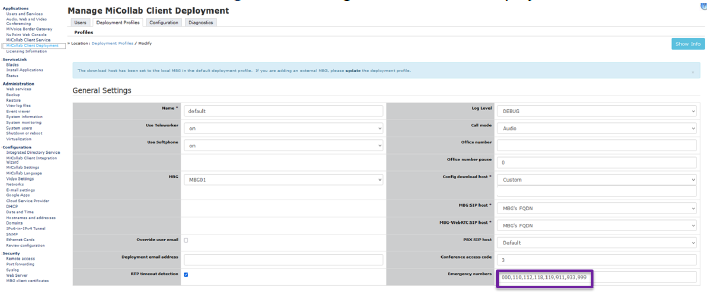
Via the MiCollab Server, configure the Emergency Dial Plan under MiCollab Client Deployment > Deployment Profiles > Emergency Numbers.
The emergency number 911 must be added as part of the Emergency Numbers in the dial plan.
Note that IFT/EFT sites should enable 933 in the emergency number list for testing/integration.
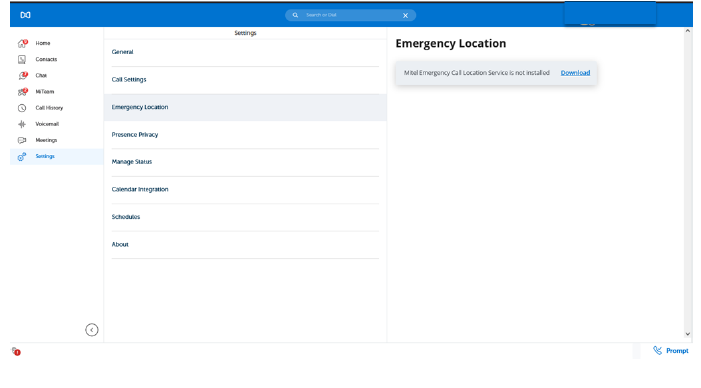
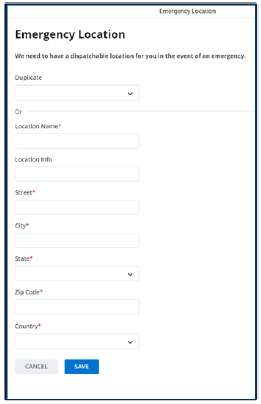
Additionally, each MiCollab client will need to install the Mitel Network Helper, and enter or confirm their location in the MiCollab Client.