Removing Microsoft Teams Integration
You can remove the Microsoft Teams integration from a customer account at any time. Removing the integration stops all presence synchronization between Microsoft Teams and CloudLink/MiCollab, including both unidirectional and bi-directional presence.
Note: Removing the Microsoft Teams integration permanently deletes all associated
configuration data for the account. The data cannot be recovered.
To remove Microsoft Teams integration:
- Navigate to Integrations & Applications.
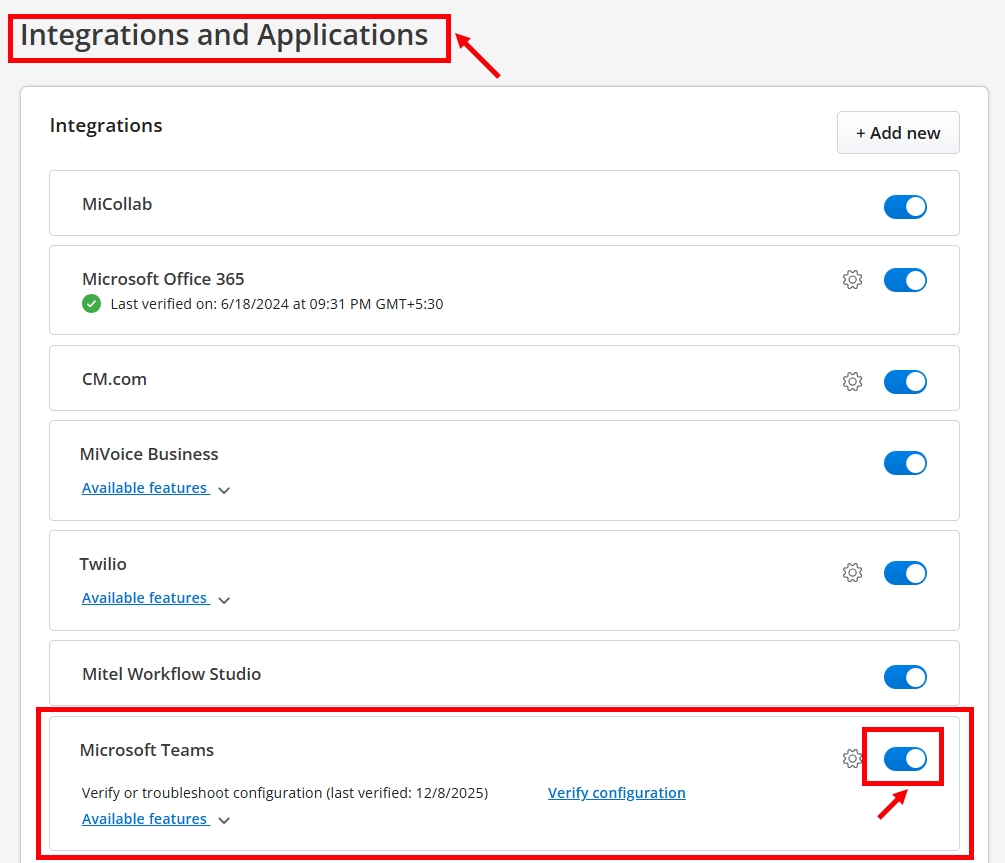
- Locate Microsoft Teams and disable the integration toggle.
The Remove Microsoft Teams Integration confirmation dialog appears.
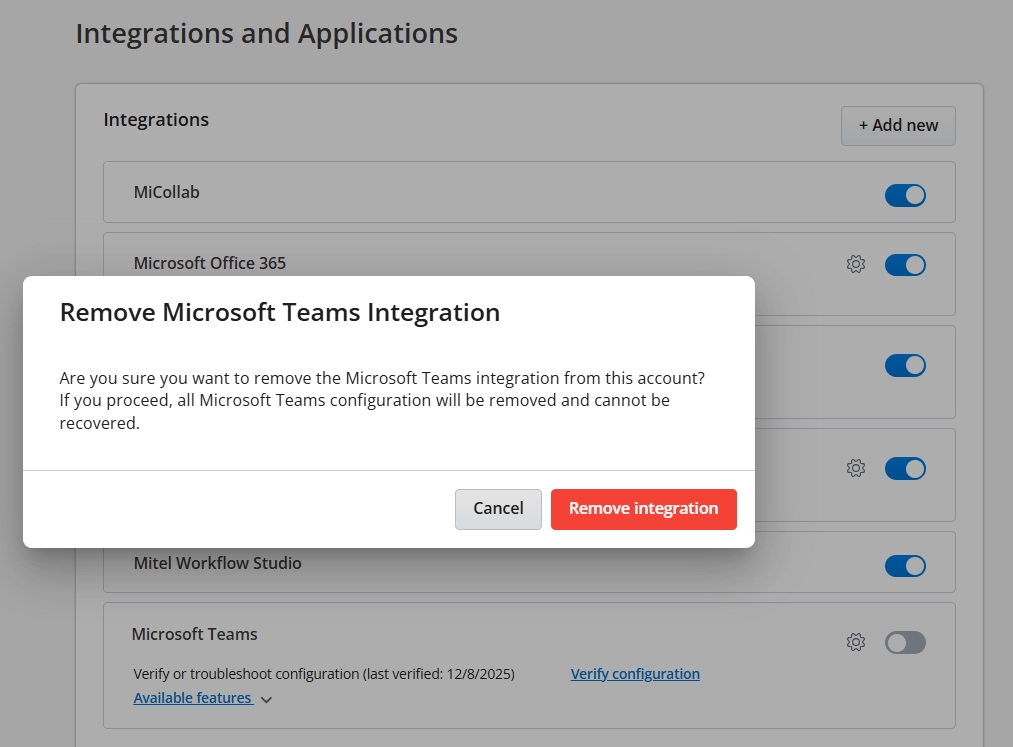
- Click Remove Integration.
After removal, Microsoft Teams will no longer appear in the Integrations panel for the account, and all Microsoft Teams configuration will be permanently deleted and cannot be recovered.
↑