Business-Quality Voice and Telephony
Within Microsoft Teams
As hybrid work continues to expand and Unified Communications scales in functionality, more and more customers are looking to combine their telephony solutions with their current Microsoft infrastructure. Mitel empowers customers to keep enjoying their communication solutions while embracing MS Teams for collaboration.

Benefits of Mitel for Existing Microsoft Teams Customers
Reduce Licensing Costs While Preserving Enterprise Telephony
Organizations can lower monthly operating expenses by avoiding additional per‑user telephony licensing while still retaining the advanced calling capabilities they rely on. Existing Mitel infrastructure continues to deliver business‑grade call routing, hunt groups, and enterprise voice features. Teams users gain integrated telephony capabilities without duplicating costs—generating significant annual savings at scale.
Extend the Value of Current Infrastructure While Expanding Teams Usage
Organizations can continue leveraging their Mitel investments—desk phones, softphones, contact center solution, and established voice systems—while embracing Teams for collaboration. Existing hardware and workflows remain fully productive, eliminating the need for premature replacements or large-scale migrations. This approach allows businesses to adopt Teams at their own pace, aligned with operational priorities and budget strategy.
Boost Productivity With a Unified Experience
Employees can manage calls, presence, and collaboration from a single Teams interface rather than switching between applications. Bi-directional presence and call state synchronization reduces uncertainty around availability, and active call control follows users as they move between tasks. With communications unified inside Teams, employees work more efficiently and respond faster to colleagues and customers.
Microsoft Teams Integration Solutions for Your Environment

For Cost-Conscious Organizations Using Teams
Create a seamless integration between Microsoft Teams and Mitel and avoid unnecessary licensing costs while maintaining full Mitel business-quality voice and telephony capabilities and device compatibility.
Mitel Telephony Only Client + Mitel Assistant
For Unified Presence and Call Control
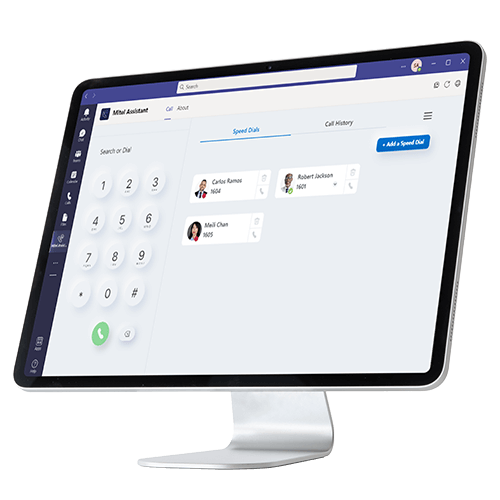
Enable real-time presence synchronization and integrated call management directly within a Teams tab interface.
Mitel Assistant (Teams Tab Application) + Bi-Directional Presence
For Direct Routing Requirements
Connect Mitel platforms to Teams through enterprise session border controller.
Direct Routing via Mitel SBC
Key Features
Telephony Client Integration
-
Organizations use Microsoft Teams as their primary unified communications and collaboration solution while relying on Mitel Call Server for business-quality telephony. Provides cost-effective alternative to multiple Microsoft telephony licenses. Includes presence information when combined with Mitel Assistant. Supports both UC and contact center users across Mitel platform portfolio.
-
Installed as app within Microsoft Teams interface, Mitel Assistant delivers integrated Mitel telephony experience. Does not require Microsoft E5 or Phone System licenses. Users answer calls with one click, access call history, initiate calls directly, and view presence indicators. Available through Mitel Software. Download Center and Microsoft Teams Store.
-
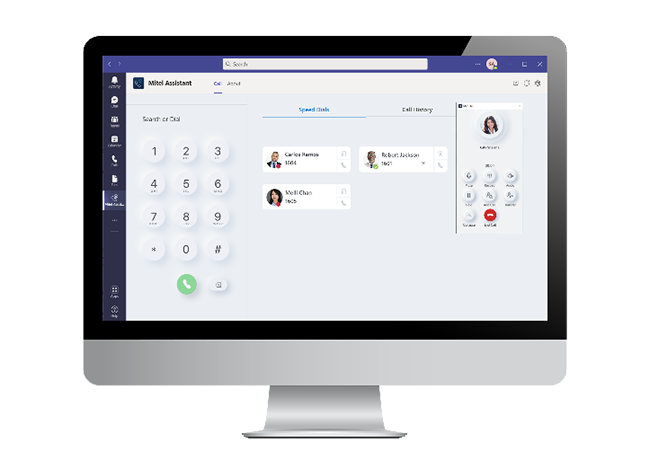
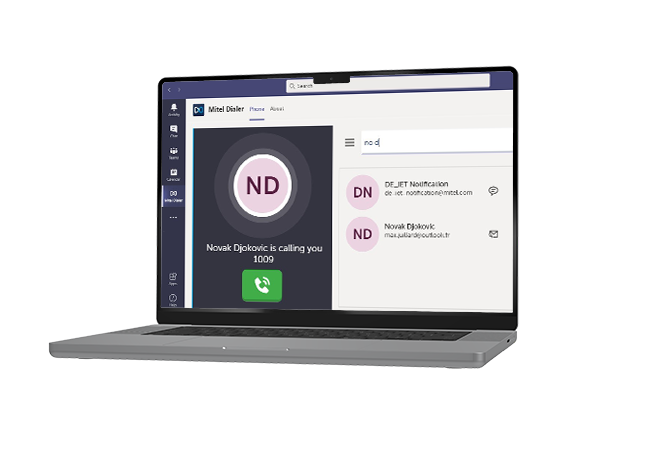
Full Mitel call control from always-visible floater window that remains on top of any application. Provides access to call functions, hold, transfer, conference, and mute without switching between Teams and communication apps. Incoming call notifications trigger on-screen alerts regardless of active window. Enables uninterrupted workflow during customer conversations.
Presence and Directory Integration
-
Mitel integrates call server presence with Microsoft user presence in real time. Users see when colleagues are busy on Mitel calls anywhere Microsoft presence is displayed including Outlook, Teams, and SharePoint. Reverse synchronization shows Microsoft Teams status to Mitel platform users. Creates unified collaboration awareness across both communication systems.
-
Access to complete Mitel corporate directory from within Teams interface. Provides search, click-to-call functionality, and personal contact integration. No need to maintain duplicate contact lists or switch to separate directory applications. Up to 100 programmable speed dials support frequent contacts and departmental extensions.
-
Visual voicemail notification within Teams tab interface alerts users to new messages. Enables one-click access to voicemail playback, message management, and callback initiation directly from Teams. Eliminates separate voicemail application or desk phone message light dependency. Designed for remote and mobile workers.
Platform Compatibility and Device Support
-
Compatible with MiVoice Business, MiVoice 5000, MiVoice MX-ONE, and OpenScape call managers. Enables Teams integration across Mitel's UC platform portfolio. Serves distributed workforce, hybrid office environments, and multi-site organizations already invested in Mitel communications infrastructure.
-
Use any device including Mitel softphone, mobile devices with iOS and Android support, desktop computers, and existing IP desk phones. Provides communication flexibility that matches work style and location. No forced device standardization or replacement. Supports hybrid workers who move between office desk phones and mobile softphone throughout the workday.
-
Direct Routing connects an organization's existing Mitel infrastructure to Microsoft Teams via a certified Session Border Controller (SBC), allowing organizations to integrate with Microsoft Teams, enabling them to retain current carrier contracts, numbers, and SIP trunks. This network-level integration provides sophisticated call routing capabilities and seamless connectivity between Mitel call managers and Microsoft cloud.
-
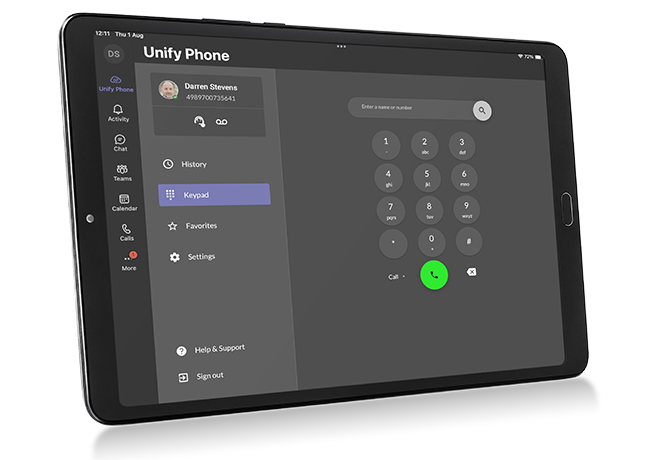
The Microsoft Teams plugin via Mitel's Unify Phone is a software integration that embeds Mitel telephony capabilities directly into the Microsoft Teams interface, allowing users to make, receive, and manage business calls without leaving Teams. It enables mobile users to use their corporate number on personal devices while seamlessly moving calls between mobile, desktop, and Microsoft Teams without changing numbers or losing call quality.
- White Paper
Mitel Named Leader Again in the 2026 Aragon Research Globe for Intelligent UC&C

Mitel's Microsoft Teams Integration in Action

City of Baltimore
The bustling port city of Baltimore, the 29th largest city in the US, is home to John Hopkins Hospital, the Inner Harbor Historic Seaport, and two professional sports teams. It employs almost 14,000 people across more than 60 agencies and departments, including Health, Public Safety, Public Works, Recreation and Parks, Transportation, Schools, and Government.

Connect Group
Connect Group needed to consolidate multiple outdated telephony systems and contact centers for its 80 locations. The Mitel solution was just what they needed to dramatically reduce costs while improving customer service, collaboration and operational efficiency.

Colerain Township
Located in Hamilton County, and part of the Cincinnati metropolitan area, Colerain is the largest township in Ohio. It is administered by a local government that values leadership, strives to provide creative solutions to challenges and prides itself on delivering high-quality programs and services. That’s why, when they realized the communications system linking residents with eight government locations was outdated and expensive, they went looking for a better one that would enable them to be more efficient.

TruStone Financial Credit Union
TruStone Financial Credit Union is a not-for-profit financial institution based in Minneapolis, with $4 billion in assets, 650 employees, 23 branches, and more than 200,000 members across central Minnesota and eastern Wisconsin.
Awards



Related Products
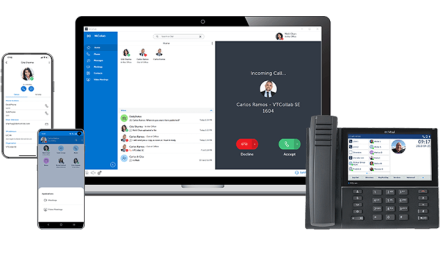
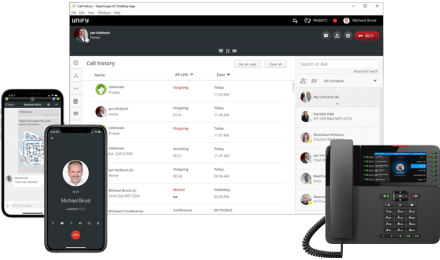


All your questions about Mitel for Microsoft Teams answered
-
No. Mitel Telephony Only Client combined with Mitel Assistant eliminates the need for Microsoft E5 or Phone System licenses ($8-12 per user monthly). You keep your existing Mitel infrastructure and devices while accessing full telephony capabilities within Teams. Duplicate licensing costs are avoided while maintaining advanced call routing, hunt groups, and enterprise features.
-
Yes. Mitel integration preserves your existing desk phone investment. Users can continue using Mitel IP phones, softphones, and mobile devices while managing calls through Teams interface. The integration provides unified experience where Teams handles collaboration and meetings while Mitel manages telephony. Bi-directional presence shows availability across both platforms.
-
Mitel call server presence integrates with Microsoft user presence in real time. When someone is on a Mitel call, their status automatically shows as busy in Teams, Outlook, and anywhere Microsoft presence displays. Similarly, Mitel users see Teams status (in meeting, away, etc.) on their Mitel devices. This creates unified presence awareness across your entire organization regardless of which platform someone is using.
-
Yes. The integration supports both UC (unified communications) and CX (contact center) users. Contact center agents can access Mitel CX omnichannel capabilities for customer interactions while using Teams for internal collaboration with supervisors and other departments. Call recording, quality management, and workforce optimization features are maintained without Teams Contact Center licensing.
-
Mitel Assistant is a Teams tab application providing call control, presence sync, and directory access for users working primarily in Teams. Direct Routing via OpenScape SBC provides SIP trunk integration between Teams and Mitel platforms, offering embedded softphone experience for organizations requiring specific routing scenarios. Many deployments use both—Mitel Assistant for user interface and OpenScape SBC for network connectivity.