Extend OpenScape Desktop Phones for
High-Volume and Specialized Environments
Standard desk phone setups can’t always keep pace with high-volume workflows or unconventional deployment environments. OpenScape CP Series accessories unlock new possibilities with programmable key modules for faster call handling, wireless adapters for cable-free installations, and secure mounting solutions for challenging public spaces. Designed for enterprises that demand flexibility and efficiency, these accessories transform OpenScape CP phones into workflow powerhouses.
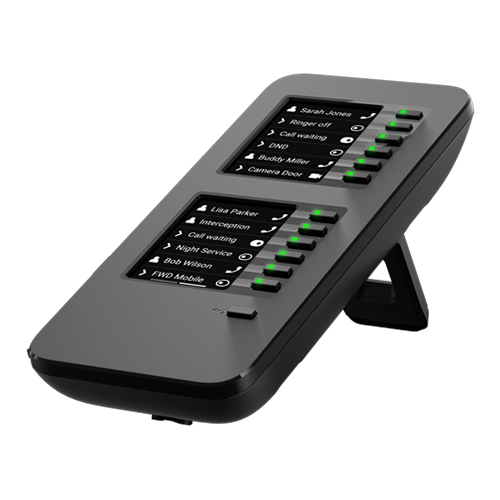

Benefits OpenScape CP Series Peripherals and Accessories
Accelerated Workflow Management
Programmable Key Modules: Add up to 64 programmable buttons to OpenScape CP410 and CP710 devices, enabling single-touch execution of complex call handling workflows. Stackable modules support high-volume users managing multiple lines, frequent transfers, or extensive contact lists without navigating through menus, reducing call handling time and improving first-call resolution rates.
Deployment With No Infrastructure Constraints
Wireless and Wall Mount Flexibility: Deploy OpenScape CP210, CP410, and CP710 devices in areas without structured cabling using dual-band Wi-Fi connectivity, or install phones in public areas with concealed cable routing for professional appearance and vandalism prevention. Support temporary workspaces, seasonal operations, remote offices, and secure public-facing installations without costly infrastructure modifications.
Scalable Configuration for Evolving Needs
Modular Expansion Architecture: Configure devices to match user requirements without replacing entire handsets as needs change. Add key modules for users who require more programmable buttons, deploy wireless adapters for relocated users, or install wall mounts when office layouts change, protecting hardware investments while maintaining consistent user experience across the organization.
Accessory Types

For High-Volume Call Handlers
Programmable button expansion for users managing multiple lines or complex workflows.
OpenScape KM410 (16 keys), OpenScape KM710 (12 keys)
For Infrastructure-Constrained Deployments
Wi-Fi capability for temporary spaces, home offices, or areas without cabling infrastructure.
CP10 Wireless Adapter (dual-band Wi-Fi)
For Public and Secure Areas
Concealed cable routing and secure mounting for lobbies, hallways, and customer-facing locations.
Universal Wall Mount Kit (compatible with entire CPx10 range)
Key Features
Productivity Enhancement
-
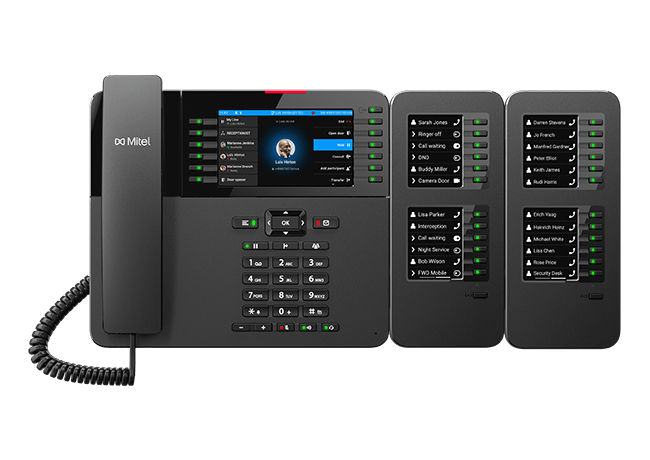
OpenScape CP410 and CP710 models support up to four key modules simultaneously, providing 48-64 additional programmable buttons for power users managing extensive contact lists, multiple lines, or complex call routing workflows.
-
Program frequently used functions like call transfers, conference setups, or directory access to individual buttons, eliminating multi-step menu navigation and reducing average handle time for high-volume call environments like reception desks or support centers.
-
Key module buttons include visual indicators for line status, presence information, and call state, providing at-a-glance awareness of system status without requiring screen interaction or audio cues.
Deployment Flexibility
-
The CP10 wireless adapter enables 2.4GHz and 5GHz Wi-Fi connectivity on CP210, CP410, and CP710 models, supporting deployment in temporary locations, rental spaces, home offices, or areas where cabling installation is impractical or cost-prohibitive.
-
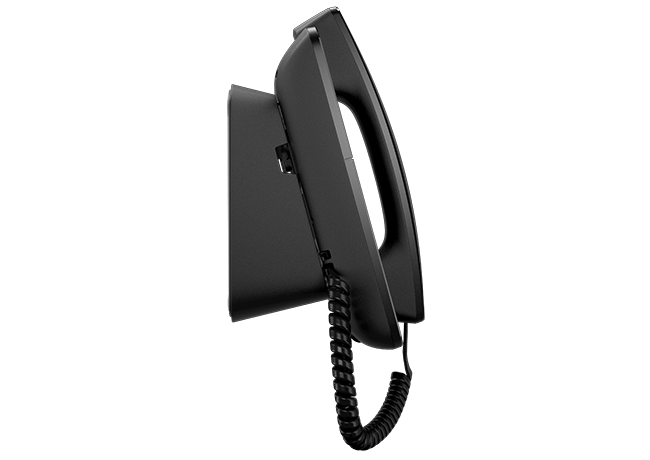
A single wall mount design supports all OpenScape CPx10 models from CP110 through CP710, simplifying procurement, installation planning, and spare parts inventory while maintaining consistent appearance across different phone models in public areas.
-
Optional flexible network cables route Ethernet and power connections behind wall-mounted devices, protecting cables from tampering or damage in public spaces while maintaining professional appearance in customer-facing areas like hotel lobbies or clinic reception desks.
Installation and Management
-
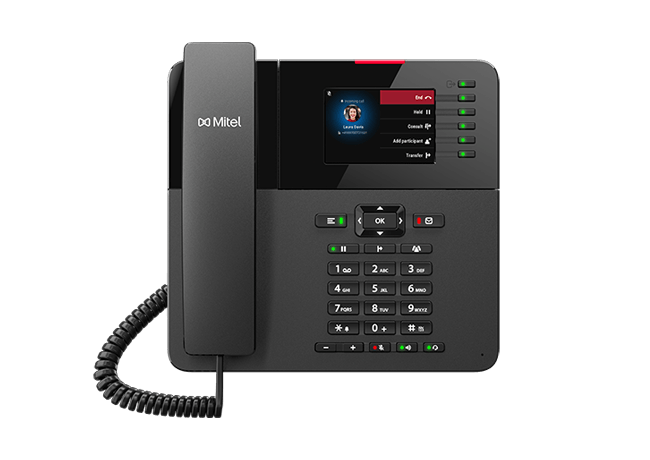
Key modules automatically register with host devices without configuration, immediately adding programmable buttons that can be customized through standard phone administration interfaces or user-accessible settings menus.
-
Key module button programming, wireless network credentials, and wall mount installation procedures remain consistent across compatible OpenScape CP models, reducing training requirements for IT staff and simplifying large-scale deployments with mixed device types.
-
Replace or upgrade individual accessories without replacing host phones, extending hardware lifespan and reducing e-waste. Add capabilities as user needs evolve or remove accessories when users change roles, maintaining flexibility throughout the device lifecycle.
- Guide
Voice Quality Troubleshooting
Learn essential techniques for diagnosing and resolving voice quality issues in your VoIP deployment—ensuring clear, reliable communication across your IP phone infrastructure.

OpenScape 4000 in Action

Armenian Air Traffic Services
Armenian Air Traffic Services (ARMATS) CJSC is a 100% state-owned commercial organization in the Republic of Armenia, responsible for providing air navigation services within the Yerevan Flight Information Region (FIR). Established in 1997 after separating relevant services from Zvartnots International Airport, ARMATS has since expanded to deliver air navigation services for other national civil airports as of 2003. The company is dedicated to maintaining high standards and aligning its operations with the International Civil Aviation Organization (ICAO) and the European Organization for the Safety of Air Navigation (EUROCONTROL) to ensure compliance with international best practices.

Schloss Fuschl, A Luxury Collection Resort & SPA
Schloss Fuschl, A Luxury Collection Resort & Spa, is a 5-star superior resort in the Salzburg region of Austria. It is renowned for its idyllic setting on Lake Fuschl and luxurious amenities such as a golf course, spa facilities, and classic car excursions, making it one of Europe’s top destinations for unforgettable stays.
Waterlogic Australia
Waterlogic Australia is a designer, manufacturer, distributor, and operator of water mains attached to point-of-use (POU) drinking water purification and dispensing systems designed for environments like offices, factories, hospitals, hotels, schools, restaurants, and other workplaces. Founded in 1992, Waterlogic has offices in Sydney, Perth, Brisbane, Melbourne, and Adelaide. The company services an extensive and expanding independent global distribution network, reaching over 50 countries worldwide, including the USA, Australia, and Western Europe.

InterContinental Nha Trang
The InterContinental Nha Trang is the ultimate luxury beachside retreat on Vietnam's southern coastline. In addition to 277 elegantly furnished rooms and suites, the hotel offers many facilities and amenities for guests to enjoy. These include a fitness center featuring three outdoor pools, an on-site spa offering extensive treatments, and a choice of all-day a-la-carte dining experiences. Thanks to its standout location, exceptional facilities, and attentive customer service, the hotel regularly gets 5-star reviews from guests and visitors.
Awards



Features Comparison
| Features | KM410 | KM710 | CP10 Wi-Fi | Wall Mount |
|---|---|---|---|---|
| Compatible with CP110 |  | |||
| Compatible with CP210 | | | ||
| Compatible with CP410 | | | | |
| Compatible with CP710 | | | | |
| Programmable Buttons | 16 per module | 12 per module | N/A | N/A |
| Max Units per Phone | 4 stackable | 4 stackable | 1 per device | 1 per device |
| LED Status Indicators | | | ||
| Wireless Bands | N/A | N/A | 2.4GHz + 5GHz | N/A |
| Cable Concealment | | |||
| Plug-and-Play | | | | |
Related Products
Frequently Asked Questions - Your Questions About OpenScape CP Series Peripherals and Accessories Answered
-
No, each CP410 or CP710 device must use only one key module type. All attached modules must be either KM410 or KM710, though you can connect up to four modules of the same type to a single phone.
-
The CP10 wireless adapter is compatible with CP210, CP410, and CP710 models only. The CP110 entry-level model does not support wireless connectivity. All compatible models use the same adapter, simplifying procurement for mixed deployments.
-
OpenScape CP410 and CP710 models support up to four key modules simultaneously. With KM410 modules providing 16 buttons each, this delivers up to 64 additional programmable buttons for power users managing extensive workflows or multiple lines.
-
Yes, the universal wall mount kit supports all CPx10 models regardless of attached accessories. However, stacked key modules increase the total device width, so ensure adequate wall space and consider cable routing when planning installations with multiple key modules.
-
Key module button programming is stored on the host phone, not the module itself. Moving a module to a different phone requires reprogramming the buttons through that phone's configuration interface, either via administrator tools or user-accessible settings depending on your system configuration.