Scalable Enterprise Collaboration—Deployed Your Way
Scale voice, video, messaging, and conferencing across locations and devices without replacing infrastructure that already works. MiCollab combines all collaboration tools in one platform with native Microsoft Teams integration, delivering business-quality telephony while supporting on-premises, cloud, or hybrid architectures. Built for organizations looking for unified collaboration capabilities that align to their growth while building on existing technology deployments.
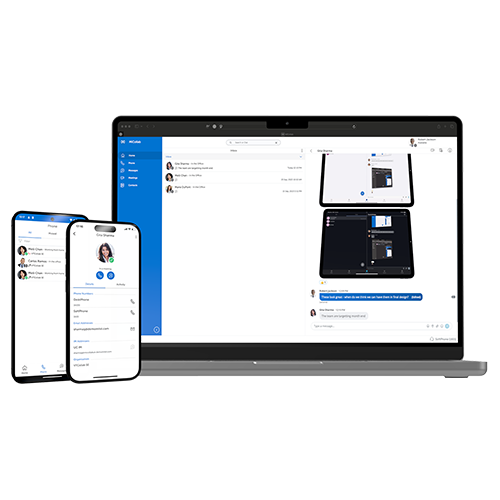

Benefits of MiCollab
Unified Communications with Zero Fragmentation
Voice, video, chat, SMS, web conferencing, and team messaging operate from a single platform accessible via desk phone, softphone, web client, or mobile app. Users switch between communication modes without changing applications or losing context—eliminating the productivity drain of managing separate tools for each function.
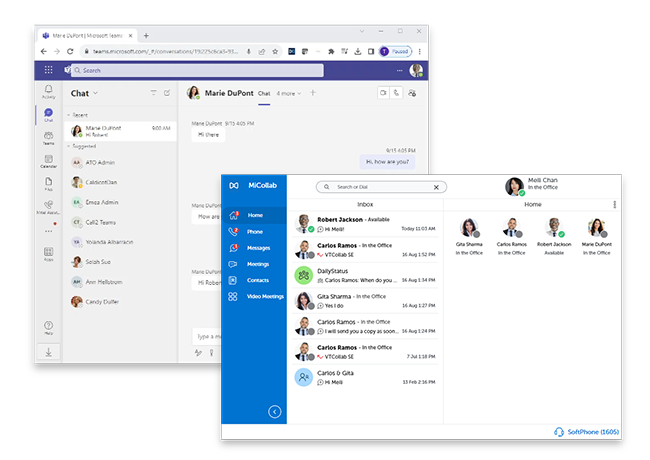
Preserve Voice Quality with Microsoft Teams Integration
Bi-directional presence synchronization articulates Teams status across platforms while business-quality telephony routes through Mitel infrastructure. Access corporate directories, personal contacts, and advanced call handling directly within Teams, without compromising call quality or losing enterprise voice features.
Deployment Architecture That Matches Your Operational Reality
Deploy on-premises to support data sovereignty requirements, virtualized for infrastructure consolidation, or in public or private cloud for operational flexibility. The same collaboration experience works across MiVoice Business, MX-ONE, and other Mitel platforms—evolving with your infrastructure strategy rather than dictating it.
Product Features

For Distributed Workforces
Complete collaboration suite for organizations with mobile and remote employees requiring consistent access across devices.
MiCollab Client (PC, Mac, iOS, Android)
For Microsoft Teams Environments
Telephony integration that adds business-quality voice to existing Teams deployments without replacing collaboration workflows.
MiCollab for Microsoft Teams
For High-Volume Conferencing
Web conferencing with unlimited hosts and no per-event fees for organizations conducting frequent meetings across time zones.
MiCollab Audio, Web & Video Conferencing
Key Features
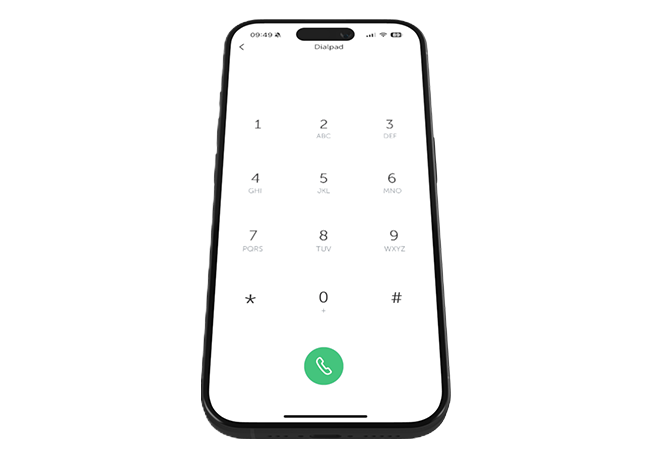
Multi-Modal Communication
-
Launch web conferencing with screen sharing on demand or schedule meetings through Outlook calendar integration. Participants join via browser without client downloads.
-
Send and receive SMS to internal and external contacts through an integrated SMS service provider. Participant management available to both end users and administrators.
-
Distribute one-to-one or one-to-many messages across the organization instantly. Text-to-speech capabilities convert written messages to voice announcements.
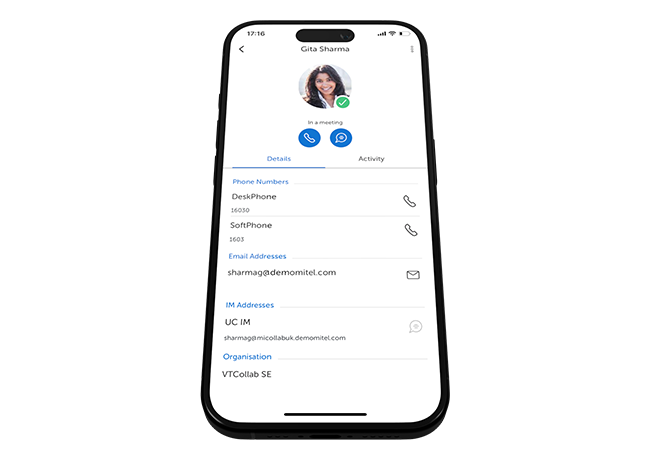
Platform Integration
-
Route enterprise voice through Mitel infrastructure while users work within Microsoft Teams interface. Bi-directional presence ensures accurate availability status.
-
Connect with Zoom, RingCentral, and other video platforms directly from MiCollab interface. Calendar integration surfaces scheduled meetings regardless of platform.
-
Integrate with Salesforce, Microsoft Dynamics, and industry-specific applications through standard APIs. Click-to-call and automatic activity logging reduce manual data entry.
Administration and Management
-
Manage voice, and collaboration settings through one administrative console. Provision users without switching between management tools.
-
Deploy identical collaboration capabilities across MiVoice Business, MX-ONE, and other supported platforms. Consistent features regardless of telephony infrastructure.
-
Store, share, and collaborate on documents within the platform. Version control and access permissions ensure teams work from current files.
- Analyst Report
Aragon Research Names Mitel Intelligent Communications & Collaboration Leader 2025
Discover AI-powered, secure, and durable communication tools for frontline workers and learn how Mitel empowers deskless employees across industries.
Aragon Research recognizes Mitel as a Leader in Intelligent Unified Communications and
Collaboration for enterprise-grade capabilities, hybrid deployment flexibility, and AI-powered
collaboration tools.

MiCollab in Action

The Van Mossel Groep
The Van Mossel Groep (VMG) is the premier automotive company in the Benelux region with over 70 years in the industry, more than 4,600 employees, and 300 branches. VMG owns various dealerships representing nearly all major car brands and has many damage repair and leasing companies under its purview.

Heilig Hart Hospital
Heilig Hart Hospital is a general hospital in Mol, Belgium, with 183 accredited beds, a large day hospital, and extensive consultation services. With around 10,000 inpatients and over 23,000 hospital patients per day every year, Heilig Hart’s approximate 750 employees, 100 doctors, and 30 volunteers work to provide patients with both basic services and highly specialized medicine. The hospital also collaborates with regional partners, including primary care providers, nursing homes, and university centers, and is a part of the Kempen Hospital Network.

Lenkerhof Hotel and Gourmet Spa Resort
The five-star Lenkerhof Hotel and Gourmet Spa Resort in Simmental, Switzerland offers its discerning guests excellent service and personal care to the tiniest detail. To achieve that distinction, employees of one of Switzerland’s most established luxury hotels must be able to rely on a top-class telecommunications system operating around the clock.
The Van Mossel Groep
The Van Mossel Groep (VMG) is the premier automotive company in the Benelux region with over 70 years in the industry, more than 4,600 employees, and 300 branches. VMG owns various dealerships representing nearly all major car brands and has many damage repair and leasing companies under its purview.
Awards


Services for Your Wireless Communication Strategy
Mitel Services help plan, deploy, and support wireless solutions built around your operational needs.
- Consulting : Strategic guidance for mobility and safety requirements
- Deployment : Efficient setup and integration with the communication ecosystem
- Support : Ongoing updates and optimization for reliable performance

Deployment Comparison
| Features | On-Premise | Private Cloud | Public Cloud |
|---|---|---|---|
| Voice Integration |  | | |
| Video Conference Launch | | | |
| Microsoft Teams Integration | | | |
| Mobile Apps (iOS/Android) | | | |
| SMS Messaging | | | |
| Data Sovereignty Control | Full | Partial | Limited |
| Infrastructure Management | Customer | Shared | Mitel |
| Unlimited Conferencing | | | |
Related Products
MiCollab Frequently Asked Questions
-
MiCollab connects directly with Microsoft Teams to provide bi-directional presence synchronization, corporate directory access, and business-quality telephony. Users can make and receive calls through Mitel infrastructure while working entirely within the Teams interface.
-
MiCollab supports on-premise, virtualized, public cloud, and private cloud deployments. Organizations can choose architecture based on data sovereignty requirements, existing infrastructure investments, or operational preferences.
-
Yes. MiCollab includes unlimited conferencing hosts without per-seat licenses for conference organizers and no special event fees. Organizations conducting high volumes of web conferences avoid cost escalation.
-
MiCollab integrates with MiVoice Business, MiVoice MX-ONE, MiVoice Office, and MiVoice Connect platforms. This enables consistent collaboration capabilities across different Mitel telephony deployments.
-
Web conferencing participants can join through a browser without client downloads. This reduces friction for customers, partners, and other external attendees.